Innovation and technical proposal
This part of the application explains the challenge, the proposed innovation, the expected value and how the solution could be delivered. Use specific, fictional examples when testing the form.
1. Describe the innovation
In the fallback example, the Tell us about your innovation section contains:
| Field | What the question is asking |
|---|---|
| Innovation title | A concise name for the innovation |
| Problem / opportunity | The challenge, who experiences it and why it matters |
| Proposed solution | How the idea will address the identified challenge |
| Intended users or beneficiaries | The people, organisations or communities expected to use or benefit from the solution |
| Value and expected impact | The expected change, benefit or measurable outcome |
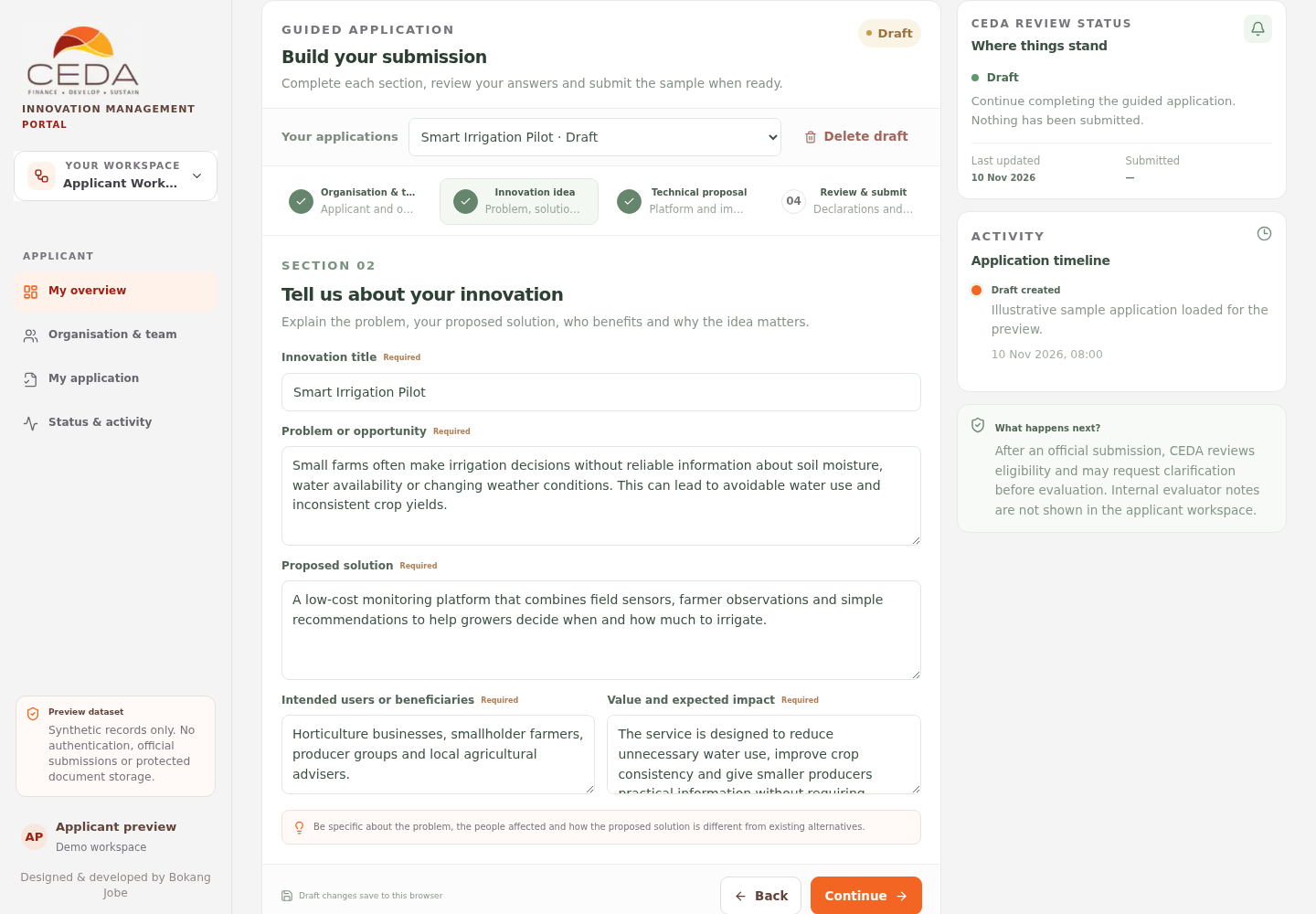
Write so that a reviewer can understand the problem before reading about the proposed solution. Distinguish the innovation from a general description of an existing business.
2. Complete the technical proposal
The fallback technical section asks for:
- Technical approach — technologies, methods and the way the solution will work.
- Platform architecture and core capabilities — main components, data flows, users, security and integrations.
- Implementation plan — delivery phases, pilot approach, required people and an indicative timeline.
- Risks, security and sustainability — material delivery, operational and information-security risks and how they will be managed.
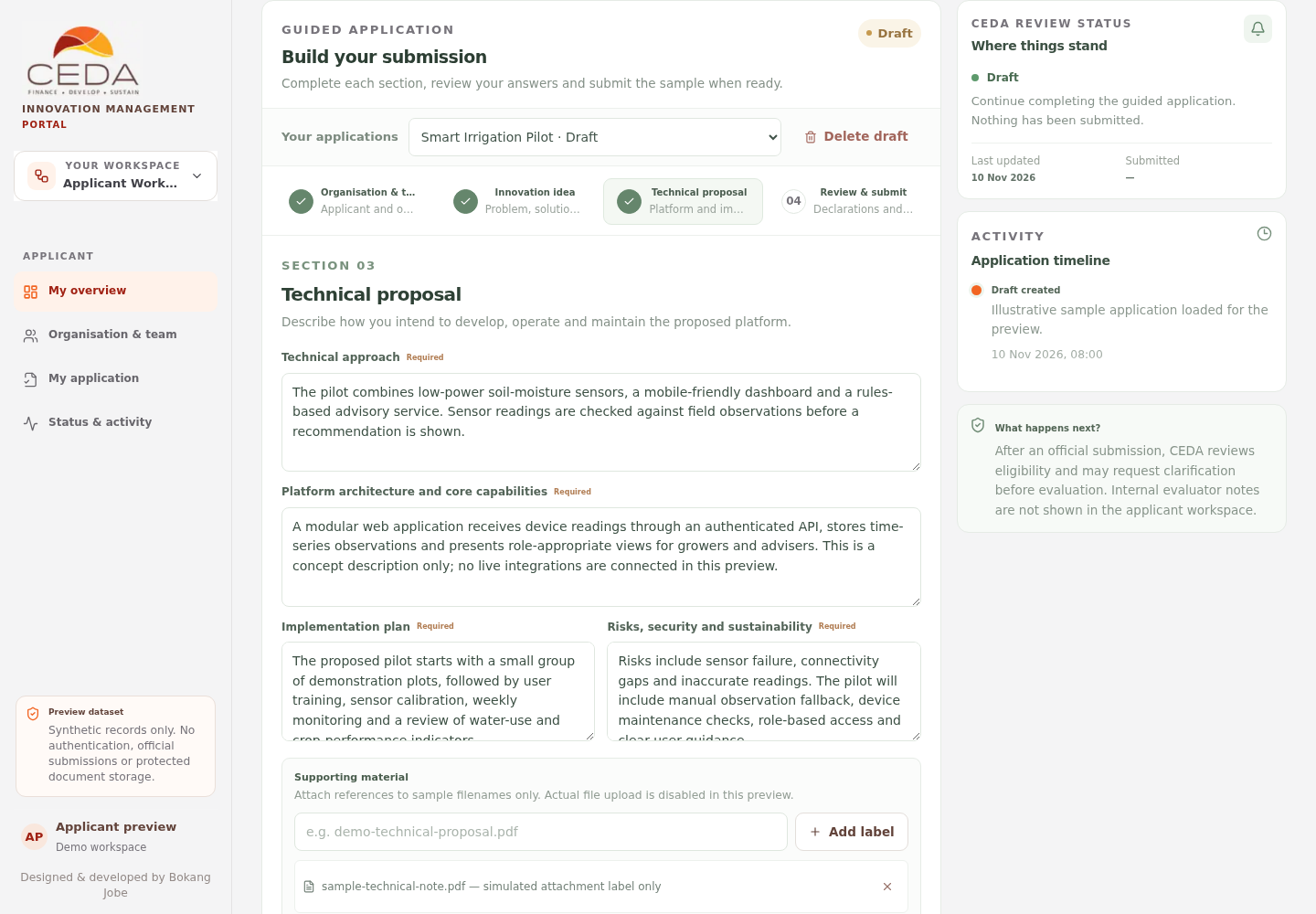
Use the published form's prompts and maximum-character limits where shown. A later form version may have different fields or guidance.
3. Work with the published funding form
When Operations has published a funding form, the Applicant workspace renders its saved definition. Depending on the configured form, questions may include text, long text, numbers, single-choice or multiple-choice options, confirmation checkboxes, repeatable tables and conditional questions.
- Read the section title and description.
- Complete each field marked Required.
- Follow any explanatory help text and field limits.
- For repeatable tables, add a row for each relevant sample shareholder or team member and complete the requested columns.
- For a conditional question, first answer the question that controls its visibility.
- Review the readiness stepper to confirm the section is complete.
The draft keeps a snapshot of the form version it started with. If Operations publishes a revised form later, an existing draft continues using its pinned version; a new draft uses the latest published version.
4. Funding route and amount
Where the published form requests a funding purpose, amount or preferred funding route, answer the configured questions using invented test values only. The Applicant workspace describes the route as subject to matching with a suitable CEDA product; it does not approve a product, confirm eligibility or calculate an award.
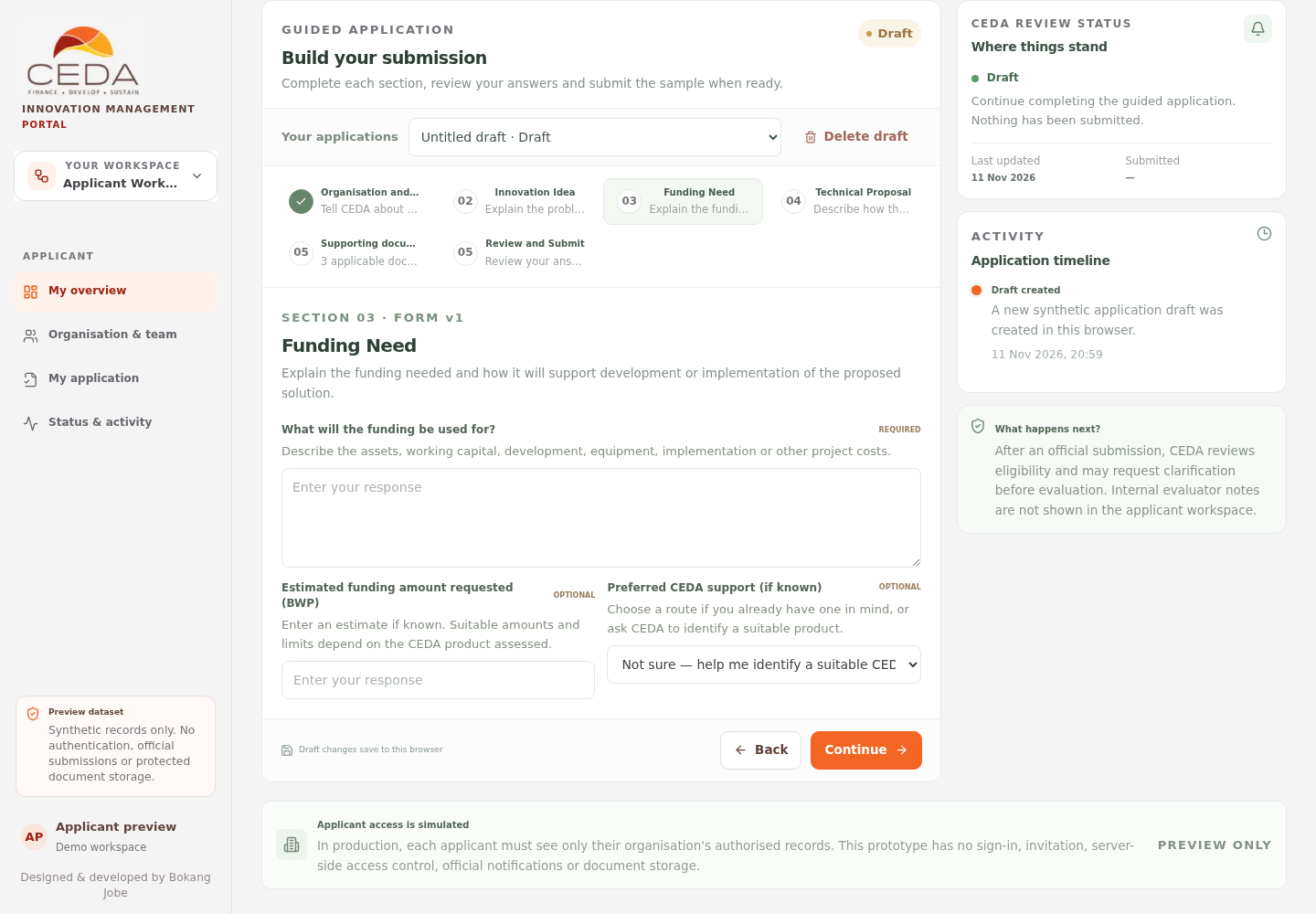
There is no payment step in this prototype. Do not enter bank details or make payments to test the journey.
5. Move to supporting documents and review
- Complete all required innovation and technical questions.
- Select Continue.
- If the published form has document requirements, complete the Supporting documents step.
- Proceed to Review & submit only after the readiness checks have been satisfied.
The detailed document and confirmation steps are covered in Documents and sample submission.