Status and clarification follow-up
The Applicant workspace includes a status panel and activity timeline so a sample applicant can see how a record changes during the prototype workflow.
1. Read the status panel
- Open the Applicant workspace.
- Find CEDA Review Status — Where things stand beside the guided application.
- Read the current status or stage label.
- Check the Last updated and Submitted dates.
- Where displayed, note the Preview reference.
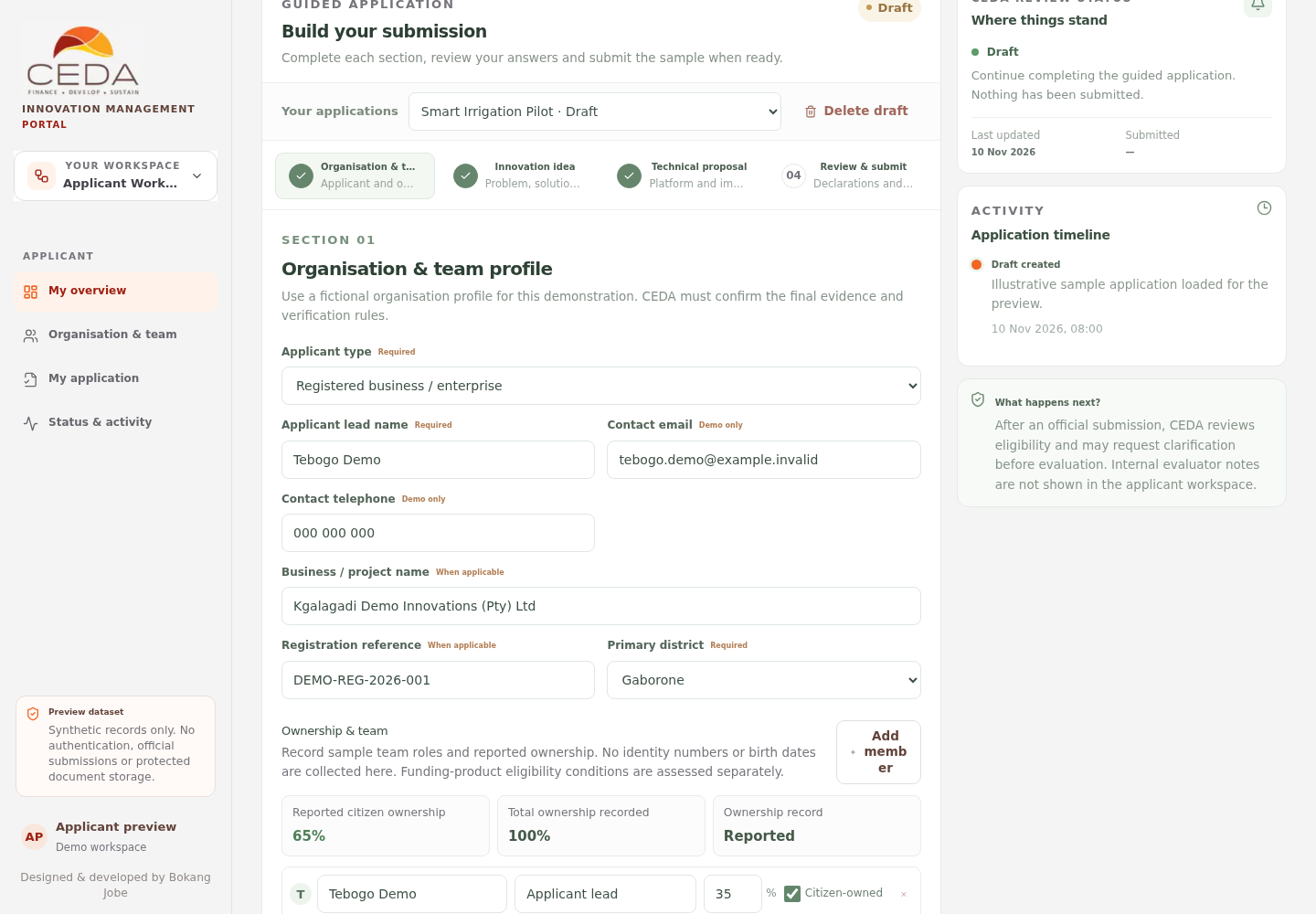
A newly loaded sample may still be Draft, with no submission date or reference. A clarification response area appears only when a clarification has been staged in the preview. Do not interpret an empty clarification area as a missing official CEDA message.
When a workflow record exists in the same browser preview, the status panel uses its current stage and status label. These updates are illustrative workflow events, not official communications from CEDA.
2. Follow the activity timeline
The Application timeline lists applicant activity and available preview workflow history, with the newest events first. Use it to understand what was recorded in the demonstration and when the browser recorded it.
The timeline is not an immutable audit log. Browser-local data can be reset or changed and does not provide an official record of CEDA actions.
3. Respond to a simulated clarification request
A clarification panel appears when a clarification has been staged in the preview.
- Read the Action requested message.
- Check the requested response date.
- Enter a fictional response in Your response.
- Select Submit response.
- Confirm that the workspace records a new linked response version and adds an activity entry.
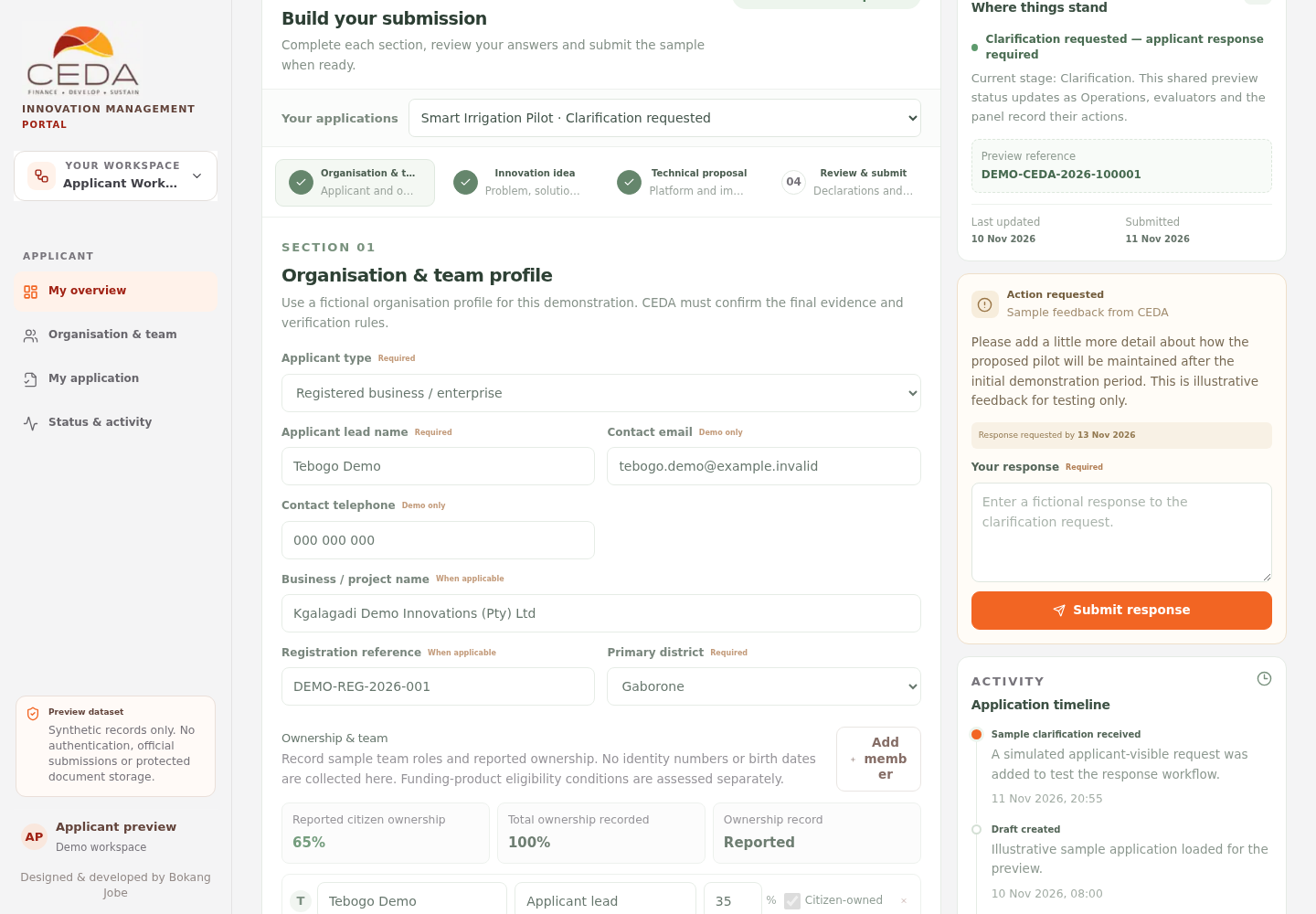
The clarification flow is simulated. It does not send an email, SMS, portal notification or official response to CEDA. The request text and due date shown in the screenshot are illustrative preview content.
4. Understand document replacement requests
When Operations records Replacement requested against a document requirement, the Applicant workspace displays the reviewer note and unlocks the matching upload control.
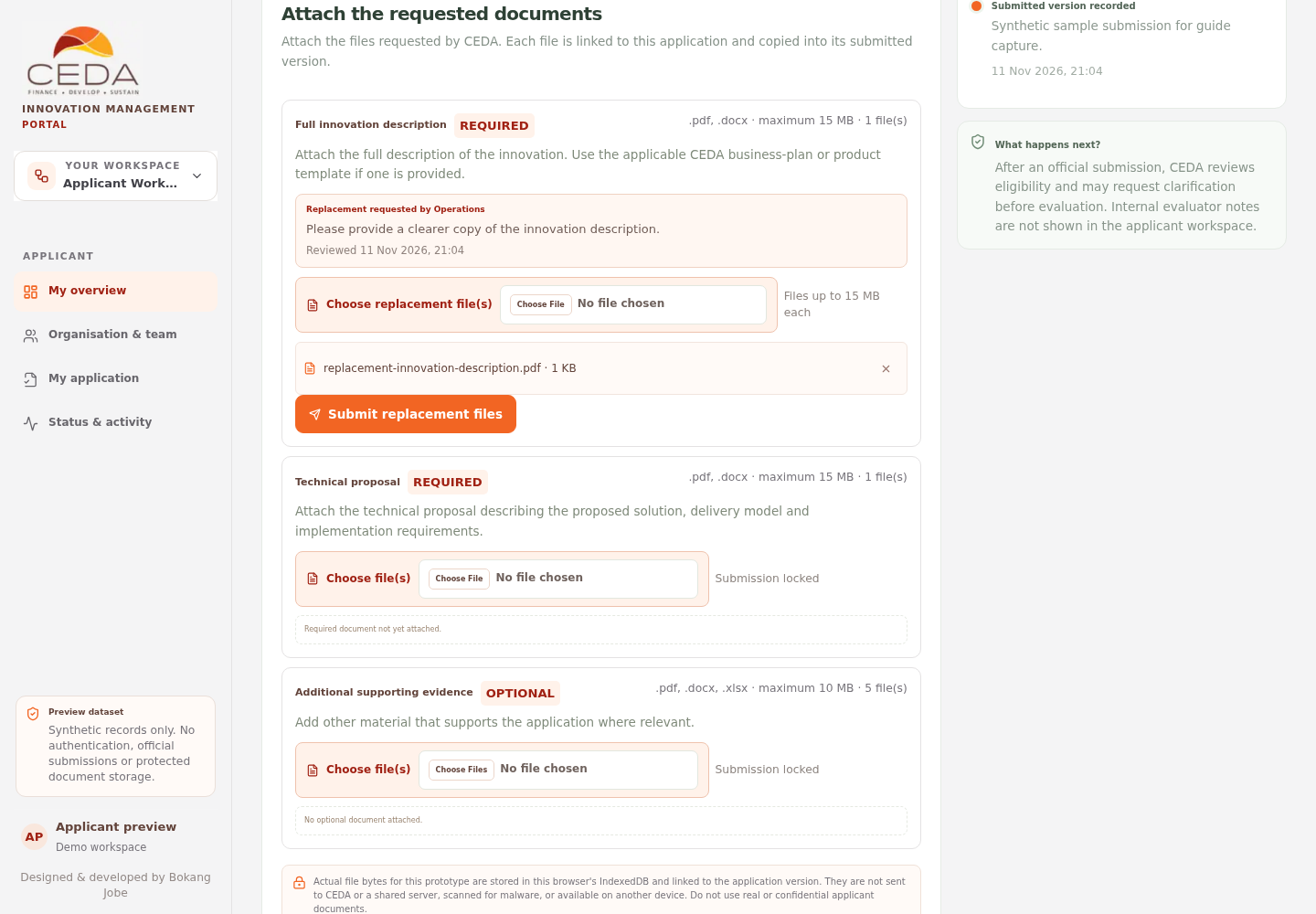
- Read the reviewer note and check which requirement needs to be replaced.
- Select Choose replacement file(s) on that requirement.
- Select a synthetic file that meets the accepted-extension, size and file-count limits.
- Confirm the filename appears beneath the requirement.
- Select Submit replacement files.
The replacement is linked as a new application response version; it does not overwrite the previous submitted file. The earlier version remains available in the version history. The replacement flow is browser-local and does not send a notification.
A note that says Accepted by Operations is likewise a sample review state, not an official confirmation that CEDA has accepted an applicant's evidence.
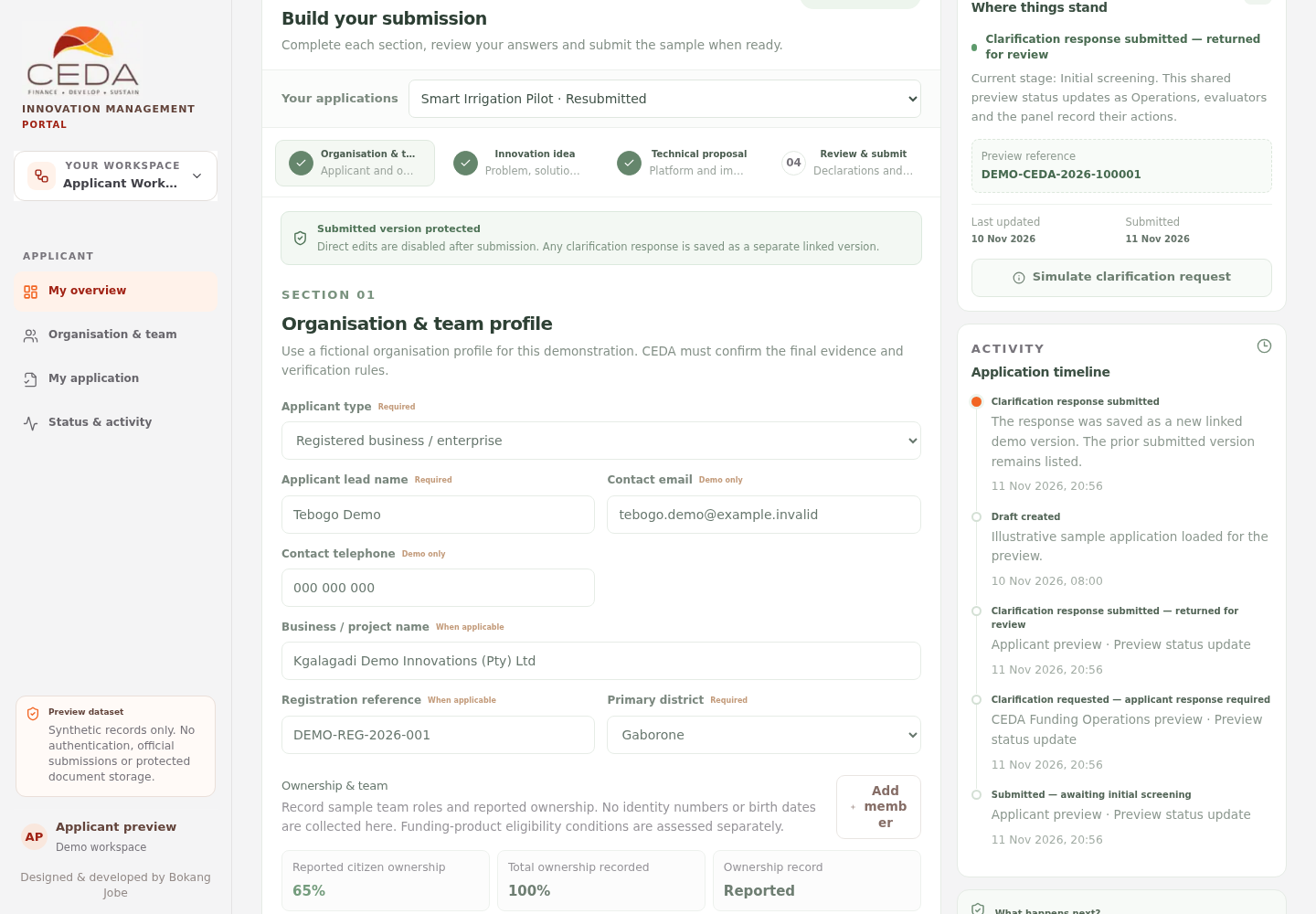
5. Confirm a clarification response is recorded
After a sample response is submitted, the status panel returns to the relevant review stage and the timeline records a new linked response version. The earlier submitted version remains in the version history.
6. Know what is and is not visible to applicants
The Applicant workspace shows applicant-facing status, released clarification text and document-review outcomes. It does not show internal evaluator notes in the applicant view. The prototype does not send notifications or establish a legally effective communication channel.
7. Follow funding offers and post-funding milestones
After Adjudication and separate CEDA approval, the Applicant workspace can display an issued funding offer, response controls, conditions precedent, funding releases and implementation milestones. Use the Funding offers, acceptance and milestones guide for the applicant-side steps. Internal evaluator and panel information remains hidden from the applicant view.
Important boundary
Application statuses, reviewer messages and timestamps in this preview are demonstration records. Production use requires CEDA-approved identity, applicant-specific authorisation, authoritative application and version storage, secure notifications, controlled release of applicant-facing feedback and an auditable records service.